
SEO Asemat: Local SEO Guide for Station-Based Businesses
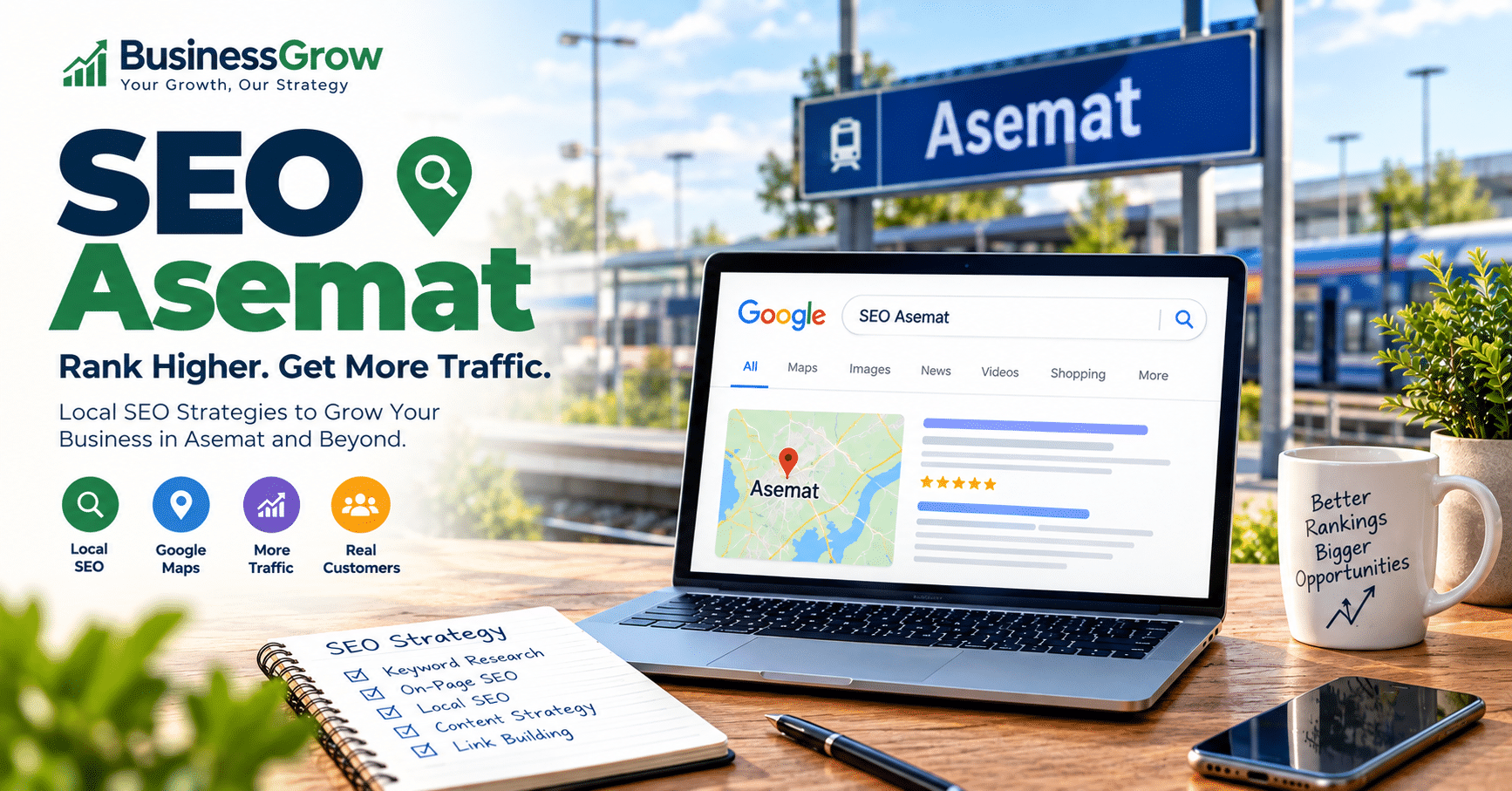
Some businesses live or die by their location. A fuel station, an EV charging point, a car wash, a kiosk beside a railway platform, a pharmacy inside a transport hub, a taxi stand or a chain of service points all share one challenge: customers search for the nearest option, and the business that appears first gets the visit. That is what SEO asemat is about.
In Finnish, asema means station, and asemat is the plural, stations. The word can also mean positions, as in search positions. This guide uses both meanings. First, it shows how to do search engine optimization for businesses that operate from stations or several locations. Second, it explains how to improve the search positions of every one of those locations in Google Search, Google Maps and AI-generated answers.
You will learn how Google decides which location to show, how to build one strong page per station, how to manage listings at scale, how to write content that has a real chance of appearing in Google AI Overviews, and what a realistic ninety-day plan looks like.
Get a Free SEO Consultation for Your Business
Table of Contents
- What Does SEO Asemat Mean?
- Who Needs Station-Based SEO?
- How Google Chooses Which Station to Show
- Step 1: Build a Location Strategy
- Step 2: Optimize a Google Business Profile for Every Station
- Step 3: Create One Strong Page per Station
- Step 4: Research Keywords for Stations and Services
- Step 5: Create Content for Google AI Overviews
- Step 6: Fix the Technical Foundation
- Step 7: Earn Links, Citations and Reviews
- Step 8: Measure Every Location
- A Practical 90-Day SEO Plan
- Which SEO Service Fits Your Business?
- How to Choose an SEO Partner
- Frequently Asked Questions
- Final Thoughts
What Does SEO Asemat Mean?
SEO asemat means optimizing the online presence of station-based or multi-location businesses so that each location appears in Google Search, Google Maps and AI answers when nearby people search for it.
Search engine optimization, or SEO, is the work of improving how visible a website and its business listings are in unpaid search results. In Finnish the discipline is called hakukoneoptimointi. When a business has many physical points, the work becomes multi-location local SEO, which is a more demanding version of ordinary local SEO because every location needs to be found on its own.
The phrase “asemat” can describe several kinds of businesses:
- Petrol and fuel stations (huoltoasemat)
- Electric vehicle charging stations
- Railway, metro and bus station businesses such as cafés, kiosks and shops
- Service stations, car washes and tyre shops
- Police, fire or medical service points that need clear public information
- Rental points, parcel pick-up stations and vending locations
What they share is simple. Customers rarely search for a brand in the abstract. They search for the closest station that is open, has the right service and is easy to reach. If your listing is missing, wrong or weak, a competitor receives that customer.
A note on interpretation: if your goal is instead to improve your search positions (rankings) in general, the same principles apply. Rankings improve when search engines clearly understand your pages, trust your business and see that real people find your content useful.
Who Needs Station-Based SEO?
Short answer: Any business with several physical points of service, or a single station that depends on passing and nearby customers, benefits from station-based SEO.
Think about the way people actually behave. A driver with a low battery searches “charging station near me”. A commuter searches “coffee at the train station”. A family on a road trip searches “open petrol station nearby”. These searches are urgent, local and highly likely to end in a visit.
You will gain the most from this work if:
- You operate more than one location and each needs its own visibility.
- You rely on walk-in or drive-in customers.
- Your opening hours, services or availability change and must stay accurate online.
- You compete with larger chains or aggregator platforms that dominate the map.
- You want to reduce dependence on paid advertising.
Organic visibility builds over time and keeps working when ad budgets pause. If you want to understand the principles behind that approach, read about our Organic SEO Services.
Explore Our Organic SEO Services →
How Google Chooses Which Station to Show
Short answer: Google says local results are based mainly on relevance, distance and prominence. Relevance is how well your listing matches the search, distance is how close you are to the searcher, and prominence is how well known and trusted your business is.
These three ideas explain almost everything about local rankings.
Relevance
Your listing and pages must match what people search for. If your station offers EV charging, a car wash and a shop, those services must be visible in your profile and on your page. A listing with the wrong category or missing services gives Google less reason to show it.
Distance
Distance is measured from the searcher, or from the place named in the search, to your location. You cannot move a station, but you can make sure its address, map pin and entrance are exactly correct. Even a small pin error can send customers to the wrong side of a building.
Prominence
Prominence reflects how well known your business is online and offline. Reviews, links from other sites, mentions in directories and the quality of your content all contribute. For a chain, strong brand recognition can help, but each station still needs its own signals.
Ordinary organic results use additional factors such as page quality, content depth, speed and links. That is why a serious strategy works on the map listing and the website together.
Step 1: Build a Location Strategy
Short answer: Before you optimize anything, create a single, accurate master list of every location with its exact name, address, phone number, hours, services and category. This list becomes the source of truth for everything else.
Multi-location SEO fails most often because of messy data. Different spellings of the same address, old phone numbers and missing hours spread across dozens of directories create confusion that weakens every station at once.
Create the master sheet
For each station, record:
- Official business name and any approved location suffix
- Full street address and exact map coordinates
- Primary phone number that someone answers
- Opening hours, including holidays and 24-hour service
- Services, products and amenities
- Primary and secondary Google Business Profile categories
- The landing page URL for that location
- The manager or contact person responsible for updates
Decide on naming rules
Use one consistent pattern across all locations, for example “Brand Name, Station Name”. Do not add keywords or slogans to the business name, because this can cause suspension.
Handle special cases
Some stations are staffed, some are automated, some close at night and some share a building with another business. Mark each case clearly so that your listings and pages never promise something you do not deliver. Wrong information costs more than missing information, because it creates bad reviews.
Step 2: Optimize a Google Business Profile for Every Station
Short answer: Your Google Business Profile (in Finnish, Google-yritysprofiili) is the most important local asset. Each station needs its own verified, complete and active profile.
For many local searches, the map pack appears above the website results. A thin or neglected profile throws away the best opportunity.
What to complete for each location
- Business name: The real, public name only.
- Categories: Choose the most accurate primary category, then add relevant secondary ones.
- Address and service area: Show the street address and make sure the pin is correct.
- Phone and website: Use a local number where possible and link to that station’s own page, not only the home page.
- Hours: Keep regular and special hours current.
- Services and attributes: Mark features such as parking, accessibility, payment methods, charging connector types and opening times.
- Photos: Upload real images of the entrance, forecourt, signage and facilities. Photos help people recognize the place on arrival.
- Posts and updates: Share offers, temporary closures and seasonal notices.
- Questions and answers: Add and answer the common questions customers ask.
Manage profiles at scale
If you run many stations, use bulk management tools and a clear process, so every location receives the same standard of care. Assign responsibility, set a monthly review routine and make sure that closures, renovations and hour changes are updated immediately.
Keep details consistent
Your name, address and phone number, usually called NAP, must match across your website, your profiles and every directory. Our Local SEO Service covers profile optimization, citation cleanup and map visibility in detail.
Optimize My Google Business Profiles →
Step 3: Create One Strong Page per Station
Short answer: Every location should have its own unique, useful web page. Do not rely on a single generic page or a long list of addresses.
A dedicated page gives Google a clear destination to show for that station, and it gives customers everything they need before they travel.
What each station page should include
- A clear title and heading that names the station and the main service.
- Name, address, phone number and map displayed as text, not only as an image.
- Opening hours that match the Google profile exactly.
- Services and amenities with short, honest descriptions.
- Directions and landmarks, including parking, entrances and nearby transport links.
- Photos taken at that station.
- Local FAQs, such as “Is this station open at night?” or “Which payment methods are accepted?”
- A clear call to action, such as a tappable phone number or a “Get Directions” link.
Avoid duplicate content
The most common mistake is creating dozens of pages that are identical apart from the station name. Search engines treat these as low value. Make each page genuinely different by including real local details: what is nearby, which roads connect to it, what facilities exist and what customers say about it.
Build a clear structure
Create a location hub page that lists all stations and links to each one, organized by city or region. Each station page should link back to the hub and to related service pages. A sensible structure helps both visitors and crawlers.
Use structured data
Local business markup that matches the visible information, including name, address, phone number, hours and coordinates, helps search engines understand each location. Only mark up what is truly on the page.
Step 4: Research Keywords for Stations and Services
Short answer: Keyword research means finding the exact phrases nearby customers use, then matching each phrase to the right page. Start with the service, add the place, and expand with questions and urgency words.
Do not guess. The words you use internally are often not the words customers type.
Build your list in layers
- Service terms. Examples include “petrol station”, “EV charging”, “car wash” or “station café”. Use Finnish and, where relevant, English or Swedish versions.
- Location terms. The station name, the district, the city, the highway and nearby landmarks.
- Urgency and intent terms. “Near me”, “open now”, “24 hours”, “price”, “fast charger” and “nearest” show how close someone is to acting.
- Question phrases. “Where can I charge my car near the centre?” or “Which station is open on Sunday?” These are valuable for AI Overviews.
Match intent to page type
| Search type | Example intent | Best page |
|---|---|---|
| Service + place | Wants to visit soon | Station page |
| Nearest or open now | Needs immediate help | Google Business Profile |
| Question | Wants information | Guide or FAQ page |
| Comparison | Choosing between options | Comparison page |
| Brand search | Already knows you | Home page or hub page |
Use real data
Google Search Console shows which queries already bring impressions, including those where you rank on page two. These are often the fastest wins. Paid tools add volume estimates and competitor insights. A small, accurate list beats a large, careless one.
If you want an expert review of your current rankings and gaps, our SEO Audit produces a clear, prioritized action list.
Step 5: Create Content for Google AI Overviews
Short answer: To be considered for Google AI Overviews, publish pages that answer a question directly in the first lines, support the answer with accurate detail, show real expertise and use a clean structure. Nobody can guarantee inclusion, but these habits make your content easier to understand and use.
AI Overviews summarize information from several sources at the top of some search results. Google has said that the fundamentals of good SEO still apply: helpful, reliable, people-first content that its systems can access and understand. There is no secret trick, but there are clear patterns.
Lead with the answer
Place a direct answer of about forty to sixty words right under the heading, then expand with detail. This guide follows that pattern in every section.
Use question-based headings
Headings such as “Which station is open at night?” or “How do I choose a charging station?” mirror how people speak and type. Answer each completely in its own section.
Structure information clearly
Short paragraphs, numbered steps, tables and concise lists make facts easy to extract. Avoid long walls of text and vague filler.
Show experience, expertise, authority and trust
Google’s quality guidance describes the idea of E-E-A-T, which stands for experience, expertise, authoritativeness and trustworthiness. Practical ways to show it include:
- Naming the real business and providing accurate contact details.
- Sharing first-hand information, such as real photos and descriptions of each station.
- Citing reliable sources for factual claims.
- Updating pages when hours, services or prices change.
Stay accurate
Do not invent statistics, and do not promise services you do not offer. A page with incorrect information damages trust and can be skipped by search systems.
Cover the topic fully
Pages that answer the main question and the obvious follow-ups perform better than pages that stop halfway. If you write about stations, also cover opening hours, payment options, accessibility, safety and what to do in an emergency.
Our SEO Service includes content planning built around these principles, so each page has a clear purpose and a measurable goal.
Step 6: Fix the Technical Foundation
Short answer: Technical SEO makes sure search engines can crawl, understand and load your site quickly, especially on mobile. Without it, even excellent content can stay invisible.
Mobile experience
Most station searches happen on phones, often in the car or on the move. Your pages must be responsive, readable without zooming and quick to load. Make phone numbers tappable and place the “Get Directions” button where a thumb can reach it.
Speed
Slow pages lose visitors who need an answer immediately. Compress images, avoid heavy scripts, use reliable hosting and monitor Core Web Vitals in Google Search Console.
Crawling and indexing
Check that your station pages are indexable, that your XML sitemap lists them and that your robots file is not blocking anything by accident. Use canonical tags to avoid duplicates, and redirect closed or merged stations to the nearest relevant page rather than leaving broken links.
Secure and clean URLs
Use HTTPS everywhere and keep URLs short and logical, for example a location folder followed by the station name.
Language setup for Finnish markets
If you serve Finnish, Swedish and English speakers, use clear language versions with correct language tags. Avoid poor automatic translations, which reduce trust.
If your technical foundation needs a rebuild, our Web Design and Development team builds fast, mobile-friendly, SEO-ready websites, and our UI and UX Design service improves how visitors move through a site. For businesses that also sell online, our E-Commerce Website Design service can connect physical locations with an online shop.
Request a Technical SEO Review →
Step 7: Earn Links, Citations and Reviews
Short answer: Links, citations and reviews build prominence. Focus on quality and relevance, and never buy fake signals.
Citations
A citation is any online mention of your business name, address and phone number. Start with major map platforms and respected directories, then add industry-specific listings such as fuel, EV charging or transport directories. Keep every detail identical to your master sheet.
Local links
Real relationships create the best links:
- Local news and community websites
- Municipal and tourism pages that list services
- Partner businesses and neighbouring brands
- Event sponsorships and community projects
- Helpful resources that others want to reference
Reviews
Customers read reviews before they choose a station. Ask for feedback right after a good experience, send a direct review link and reply to every review professionally. Thank positive reviewers and respond calmly to complaints, explaining how you will fix the problem. Never pay for reviews or publish fake ones, because this breaks platform rules and risks penalties.
What to avoid
Cheap link packages, link exchanges and automated spam create risk that outweighs any short-term gain. Recovery from a penalty takes far longer than doing the work properly.
Step 8: Measure Every Location
Short answer: Track results for each station separately: calls, direction requests, website visits and conversions, along with rankings and impressions as supporting indicators.
SEO without measurement is guesswork. Set up these tools from the start:
- Google Search Console shows which queries and pages bring impressions and clicks, and reveals indexing issues.
- Google Analytics shows visitor behaviour and completed actions.
- Google Business Profile insights show profile views, calls, website clicks and direction requests for each location.
- Call and form tracking connect search visits to real enquiries.
Key metrics
| Metric | Why it matters |
|---|---|
| Direction requests per station | Shows real visit intent |
| Profile calls | Shows urgency and trust |
| Organic clicks and impressions | Shows growing visibility |
| Rankings for target phrases | Shows progress on priority terms |
| Review count and rating | Shows trust and prominence |
Compare stations against each other. If one location performs far better than the others, study why and apply the lessons elsewhere. Review the data monthly, because SEO moves gradually and short-term changes are normal.
A Practical 90-Day SEO Plan
Short answer: In ninety days you can fix your data, publish your priority station pages and begin building authority. Larger ranking gains often take longer and depend on competition, but the first quarter sets the direction.
Days 1 to 30: Foundation
- Build the master location sheet and correct inconsistent data.
- Claim, verify and fully complete every Google Business Profile.
- Audit the website for indexing, mobile and speed problems.
- Set up Search Console, Analytics and conversion tracking.
- Create your keyword map, matching each phrase to a page.
Days 31 to 60: Pages and content
- Publish or rewrite a unique page for each station.
- Create the location hub page and connect it to every station page.
- Add local FAQs and structured data.
- Start a consistent review request routine.
- Publish your first guides aimed at question-based searches.
Days 61 to 90: Authority and refinement
- Pursue relevant local links and directory listings.
- Post regular updates and fresh photos for each station.
- Improve pages with high impressions but low clicks by testing new titles.
- Compare location performance and fix weak spots.
- Plan the next quarter’s content calendar. Start Your 90-Day SEO Plan with Business Grow →
Which SEO Service Fits Your Business?
Short answer: The right service depends on your goal. Multi-location businesses usually start with local SEO, online sellers need e-commerce SEO, and anyone unsure of the problem should begin with an audit.
Business Grow offers a connected set of services, so you can start small and add support as you grow.
| Your situation | Best starting point |
|---|---|
| You operate stations or several local points | Local SEO Service |
| You want long-term, sustainable rankings | Organic SEO Services |
| You are unsure what is holding you back | SEO Audit |
| You sell products online as well | E-Commerce SEO Service |
| You need a complete SEO programme | SEO Service |
| You want faster paid and social visibility | Digital Marketing Service |
| Your website is outdated or slow | Web Design and Development |
| You are launching an online store | E-Commerce Website Design |
| You need a stronger brand image | Brand and Identity Design |
SEO works best when the rest of your presence supports it. A clean design, a consistent brand and active social channels make visitors more likely to trust you after they find you. You can browse examples in our SEO portfolio, and see which sectors we support on the Industries page.
What does SEO cost?
Costs depend on competition, the number of locations and the condition of your website. Business Grow lists monthly SEO plans publicly on its Pricing page, currently starting from $399 per month for the Starter plan, with Bronze and Golden plans for businesses that need broader keyword coverage, advanced on-page work and full site audits. Check the page for the latest details before you decide.
How to Choose an SEO Partner
Short answer: Choose a partner who explains the strategy clearly, reports honestly, avoids guarantees of instant first-page rankings and focuses on business results rather than vanity metrics.
Ask what exactly will be done each month, how progress will be reported, which link-building methods are used and who you will talk to. For multi-location work, also ask how the agency will manage many profiles and pages without creating duplicate or inaccurate content. Be cautious of anyone who guarantees a number-one ranking or refuses to explain their methods. Nobody controls Google’s results, and honest partners say so.
Working with a remote agency
Business Grow is a digital agency based in Dhaka, Bangladesh, that works with clients locally and internationally and lists additional office locations on its website. Remote delivery is normal in SEO, because the work happens online. What matters is clear communication, a defined process and transparent reporting. To learn more about the team, visit the About page, and for further guides, read the Blog.
Contact Business Grow for a Free Consultation →
Frequently Asked Questions
What does SEO asemat mean?
SEO asemat refers to search engine optimization for stations and station-based businesses, since asemat is the Finnish word for stations. It can also be read as improving search positions. Both meanings rely on local SEO, accurate listings and helpful content.
How is multi-location SEO different from normal local SEO?
Each location needs its own profile, page, reviews and tracking, and the data must stay consistent across all of them. The extra challenge is managing quality at scale without creating duplicate or inaccurate pages.
Do I need a separate page for every station?
Yes, in most cases. A unique page with real local details gives search engines and customers a clear destination for each location, which is far stronger than a single page that lists every address.
How long does local SEO take to work?
Many businesses see early movement, such as better profile visibility or more impressions, within a few months. Stronger, more stable rankings usually take longer and depend on competition and consistency. Treat SEO as a long-term investment.
How much does SEO cost?
Prices vary by scope, competition and number of locations. Business Grow publishes monthly SEO plan pricing on its pricing page, and a free consultation can help you choose the right level.
Can SEO help me appear in Google AI Overviews?
Nobody can guarantee inclusion. Clear answers, well-structured pages, accurate information, visible expertise and a technically sound site make your content easier for search systems to understand and use, which improves your chances.
Is a Google Business Profile enough on its own?
No. Profiles are essential for map results, but your website, content, links and reviews all contribute to prominence. The best results come from working on all of them together.
How do I keep opening hours accurate across many stations?
Keep one master sheet, assign an owner for each location and update profiles immediately when hours change. Use bulk management tools for chains and review every listing at least monthly.
Where should I start today?
Build a master list of your locations, claim and complete each Google Business Profile, and request an SEO audit to see where your biggest opportunities are.
Book Your Free SEO Audit Consultation →
Final Thoughts
SEO asemat is not about secret tricks. It is about making every station easy to find, easy to trust and easy to choose. Start with accurate data. Give each location a complete profile and its own useful page. Research the phrases real customers use. Write content that answers questions directly and honestly. Keep your technical foundation sound, earn reviews and local mentions, and measure each station separately.
Businesses that treat SEO as an ongoing habit rather than a one-time task are the ones that gain visibility, win more visits and reduce their dependence on paid advertising. The sooner you begin, the sooner those gains start to compound.
If you would like help turning this plan into results, Business Grow can audit your current position, plan the right strategy and support you with the SEO, design and digital marketing services your business needs.
Get Started with Business Grow Today
Related Services: